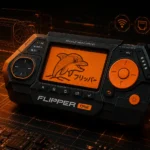
Flipper Zero is a portable multi-tool for hardware security research built by Pavel Zhovner and Alexander Kulagin. It consolidates sub-GHz radio analysis, RFID/NFC reading and emulation, infrared capture/replay, BadUSB, and GPIO expansion into a single pocket-sized device running open-source firmware. Launched in a 2020 Kickstarter campaign that raised over $4.8 million from nearly 38,000 backers, Flipper Zero has become a standard reference tool for security researchers, penetration testers, and red teams auditing physical and wireless attack surfaces.
Technical Specifications and Hardware Capabilities
The Flipper Zero’s power comes from its versatile hardware configuration, designed to interact with multiple digital communication technologies:
Core Hardware Components
- Processor: STM32WB55 ARM Cortex-M4 microcontroller (with Cortex-M0+ co-processor)
- Display: 1.4″ monochrome LCD (128×64 pixels)
- Controls: 5-way directional pad, two buttons, and a capacitive touch slider
- Connectivity: USB Type-C port for charging and data transfer
- Storage: MicroSD card slot for expanded storage
- Battery: 1550 mAh rechargeable LiPo battery (2-3 days of active use)
- GPIO Pins: 12 configurable GPIO pins for expandability
- Software: Custom FreeRTOS-based operating system with open-source firmware
Communication Capabilities
- Sub-1 GHz Transceiver: CC1101 chip supporting frequencies from 300 to 928 MHz
- RFID/NFC Reader: 13.56 MHz for reading and emulating NFC and RFID cards
- 125 kHz RFID: For low-frequency RFID systems commonly used in access cards
- Bluetooth: Bluetooth 5.0 with BLE support
- Infrared Transceiver: For capturing and replaying IR signals from remote controls
- iButton/1-Wire: For reading and emulating Dallas touch memory keys
- Wi-Fi development capabilities: Through expansion modules
This hardware combination enables the Flipper Zero to interact with a wide range of wireless systems, from garage door openers and car key fobs to access cards and wireless sensors, making it an invaluable tool for security research across multiple domains.
Core Functionalities and Real-World Applications
The Flipper Zero’s functionality spans several key areas that make it particularly valuable for security research and digital exploration:
RFID/NFC Analysis and Emulation
Flipper Zero can read, store, and emulate various RFID and NFC cards operating at both 125 kHz and 13.56 MHz frequencies. This capability allows security researchers to:
- Audit building access systems for vulnerabilities
- Test the security of RFID-based authentication systems
- Evaluate the implementation of encryption in contactless smart cards
- Store digital copies of legitimate access credentials for convenience (where legally permitted)
Legacy 125 kHz proximity cards — still common in many facilities — offer no protection against cloning attacks because they transmit the card ID without any cryptographic challenge-response. Flipper Zero reads and emulates these cards trivially, making it a useful demonstration tool for advocating migration to modern standards like MIFARE DESFire EV3.
Sub-GHz Radio Communication Analysis
The device’s ability to capture, analyze, and replay signals in the 300-928 MHz range enables interaction with:
- Garage door openers and gate controllers
- Car key fobs (for vehicles using simple rolling codes)
- Wireless doorbells and home automation devices
- Weather stations and sensors
- Wireless alarm systems
This functionality is valuable for assessing IoT and smart home ecosystems — many consumer devices in the 315–433 MHz range transmit fixed codes without replay protection, making signal capture and replay a straightforward demonstration of physical security gaps.
Infrared Communication
The built-in IR transmitter and receiver allows users to:
- Capture and replay infrared commands from remote controls
- Build comprehensive IR databases for various devices
- Test IR-based security systems for replay attack vulnerabilities
- Create custom IR control solutions for automation projects
BadUSB Capabilities
Like the USB Rubber Ducky discussed previously, Flipper Zero can function as a programmable USB HID device, allowing it to:
- Demonstrate keystroke injection vulnerabilities
- Test organizational defenses against BadUSB attacks
- Automate repetitive computer tasks through scripts
- Deploy security awareness demonstrations
GPIO and Hardware Expansion
The exposed GPIO pins and expansion capabilities enable:
- Connection to external sensors and hardware
- Development of custom modules and accessories
- Integration with Arduino and Raspberry Pi projects
- Physical hardware hacking and reverse engineering applications
The Flipper Zero Ecosystem and Community Development
One of Flipper Zero’s greatest strengths lies in its vibrant community and open-source approach. The device runs on open-source firmware that can be freely examined, modified, and improved by users worldwide. This has led to an explosion of community-developed applications, features, and educational resources:
The Open-Source Firmware Advantage
The official GitHub repository for Flipper Zero firmware has seen over 11,000 stars and 2,000 forks as of early 2025, indicating substantial community interest and participation. This open approach has several benefits:
- Transparent security through code that can be audited by anyone
- Rapid bug fixes and feature improvements
- Community-driven innovation extending the device’s capabilities
- Educational value through accessible, well-documented code
Community Applications and Extensions
The community has developed numerous custom applications expanding the device’s functionality:
- Enhanced signal analysis tools for specific protocols
- Custom visualization tools for wireless traffic
- Game emulators and entertainment applications
- Integration with other security tools and frameworks
Educational Resources
The Flipper Zero community has created extensive educational materials:
- Detailed tutorials on wireless security concepts
- Practical workshops on hardware security
- Collaborative research on emerging wireless vulnerabilities
- Documentation on responsible testing methodologies
This community-driven development model has transformed Flipper Zero from a single hardware device into an entire ecosystem for learning and experimentation.
Ethical Considerations and Responsible Usage
As with any powerful security research tool, Flipper Zero raises important ethical considerations. The device itself is neutral technology—it can be used for legitimate security research, education, and personal projects, but could potentially be misused for unauthorized access attempts.
Legitimate Use Cases
Responsible applications of Flipper Zero include:
- Professional Security Auditing: Assessing organizational vulnerabilities in wireless systems, access controls, and IoT devices
- Educational Demonstrations: Teaching security concepts through hands-on examples
- Research and Development: Creating and testing new secure communication protocols
- Personal Device Management: Managing your own digital access systems and remotes
- Technical Skill Development: Building practical knowledge of radio communications and embedded systems
Ethical Guidelines for Usage
The cybersecurity community generally adheres to these ethical principles when using tools like Flipper Zero:
- Obtain Proper Authorization: Only test systems you own or have explicit permission to assess
- Respect Privacy: Don’t intercept or decode private communications
- Report Vulnerabilities Responsibly: Follow responsible disclosure practices when vulnerabilities are discovered
- Educate Rather Than Exploit: Use findings to improve security, not compromise it
- Follow Local Laws: Be aware of and comply with relevant laws in your jurisdiction
Legal Status and Considerations
The legal status of Flipper Zero varies by country and jurisdiction. In most places, possession of the device itself is legal, but certain uses may violate laws related to unauthorized access, privacy, or radio transmission regulations:
- In the United States, the device is legal to own, but unauthorized access to systems remains illegal under the Computer Fraud and Abuse Act
- The European Union generally permits ownership and use for research, though specific applications may fall under various cybersecurity and privacy regulations
- Some countries have restricted importation of the device due to concerns about potential misuse
Security professionals should always consult local laws and obtain proper authorization before conducting any testing activities.
Comparison with Similar Security Research Tools
To understand Flipper Zero’s position in the security research landscape, it’s helpful to compare it with other popular hardware tools:
Proxmark3
- Strengths: More powerful and specialized for RFID/NFC research, supports more card protocols
- Weaknesses: Less user-friendly, lacks Flipper’s multi-tool approach and sub-GHz capabilities
- Use Case Difference: Better for deep RFID/NFC research but lacks Flipper’s versatility
HackRF One
- Strengths: Much wider frequency range (1 MHz to 6 GHz), more powerful for software-defined radio applications
- Weaknesses: Requires a computer to operate, steeper learning curve, no built-in card reading
- Use Case Difference: Superior for pure radio analysis but lacks Flipper’s all-in-one portability
Yard Stick One
- Strengths: Focused sub-GHz transceiver with better range
- Weaknesses: Requires a computer, limited to sub-GHz applications
- Use Case Difference: More specialized but less versatile than Flipper Zero
USB Rubber Ducky
- Strengths: More focused on keystroke injection attacks with specialized scripting language
- Weaknesses: Single-purpose device compared to Flipper’s multi-functionality
- Use Case Difference: Flipper Zero can perform similar functions but offers much broader capabilities
Flipper Zero’s unique advantage lies in combining many of these functionalities into a single, portable, user-friendly device with an intuitive interface, making it particularly valuable for field research and educational purposes.
Real-World Security Research Applications
Security professionals have found numerous valuable applications for Flipper Zero in legitimate security research:
Physical Security Assessments
Security teams use Flipper Zero during physical penetration tests to audit building access control systems — identifying which card readers accept cloneable legacy credentials, which wireless sensors respond to replay attacks, and which IR-controlled systems lack authentication. The device’s compact form and intuitive UI make it practical for field work without requiring a laptop.
IoT Security Research
Security researchers at a prominent university used Flipper Zero to analyze consumer IoT devices, finding:
- Widespread use of unencrypted communications in smart home devices
- Insufficient protection against replay attacks in wireless doorbells
- Easily intercepted wireless protocols in popular weather stations
This research has contributed to improved security standards in consumer IoT devices.
Security Awareness Training
Organizations increasingly use Flipper Zero for practical security awareness demonstrations:
- Showing executives how legacy access systems can be compromised
- Demonstrating the importance of physical security controls
- Providing concrete examples of wireless security vulnerabilities
- Creating engaging, hands-on cybersecurity training materials
These practical demonstrations have proven more effective than theoretical discussions in motivating security improvements.
The Future of Flipper Zero and Similar Research Tools
As digital systems become increasingly integrated into our physical world, tools like Flipper Zero will likely continue to evolve in several directions:
Hardware Development Trends
- Integration of more powerful wireless protocols including expanded Wi-Fi capabilities
- Enhanced processing power for more complex analysis
- Miniaturization and improved battery life
- Specialized modules for specific research applications
Software and Firmware Evolution
- More sophisticated signal analysis algorithms
- Integration with cloud-based analysis platforms
- Machine learning capabilities for pattern recognition
- Automated vulnerability assessment features
Regulatory Considerations
As these tools become more powerful and widespread, we may see:
- More nuanced regulations distinguishing between legitimate research and malicious use
- Certification programs for security researchers
- Industry standards for responsible security tool development
- International frameworks for security research ethics
Practical Recommendations for Security Researchers
For cybersecurity professionals interested in incorporating Flipper Zero into their research toolkit:
Getting Started
- Begin with documentation: Thoroughly review the official documentation and community guides
- Start with simple projects: Master basic functionalities before attempting complex analyses
- Join the community: Participate in forums and discussion groups to learn from experienced users
- Contribute back: Share your findings, applications, and improvements with the community
Best Practices for Responsible Research
- Maintain clear documentation: Record all testing activities, methodologies, and findings
- Establish proper authorization: Always obtain written permission before testing others’ systems
- Practice segmentation: Use dedicated hardware for security research, separate from personal devices
- Stay current on legal developments: Monitor changing regulations affecting security research
- Prioritize education: Use findings to educate and improve security awareness
Where to buy, documentation, and firmware resources
Flipper Zero is sold exclusively through the official Flipper Zero shop. Firmware source code, issue tracker, and community contributions are maintained on the flipperdevices/flipperzero-firmware GitHub repository. Documentation for all built-in applications is available at flipperzero.one/documentation. The open firmware model means features continue to expand through community pull requests and third-party app submissions.