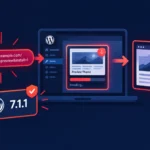
The WordPress team has announced the launch of an automated security check for every plugin update before it is distributed via the WordPress.org API. The system uses AI models and Jetpack Scan to analyze code changes, assigns each release a risk score, and automatically blocks the distribution of updates with a high score — without any involvement from the moderation team. The change affects all WordPress plugin and theme developers, as well as site administrators who use automatic updates through the WordPress dashboard.
The problem: uncontrolled updates
Until now, new plugins went through a manual review before being added to the WordPress.org directory, but subsequent updates were published without any systematic audit. As David Perez, one of the leads of the official plugin repository team, explained: “A plugin can be secure today, but in the next release a vulnerability or malicious code may appear.” The lack of an intermediate review step between committing an update and delivering it to millions of sites created a window for supply-chain attacks.
The issue is not merely theoretical. According to WordPress, on July 28, 2026, the automated system detected a backdoor in an update to an unnamed plugin with roughly 20,000 active installations. The compromised version was not distributed via the WordPress.org API because it was still within the cooldown period. The plugin was closed for downloads 26 minutes after the WordPress team was notified by Wordfence. It should be noted that WordPress did not disclose the name of the plugin, and no independent confirmation of this incident has been found in open sources.
How the new system works
Since June 5, 2026, all WordPress plugins and themes have been subject to a mandatory cooldown period before being distributed via the updates API — this is part of the Protect The Shire initiative. Initially, the delay was up to 24 hours, but it was later reduced to the current six hours. The new automated check is integrated into this time window and works as follows:
- During the cooldown period, the changes in each release are analyzed by several AI models together with Jetpack Scan.
- The results are cross-verified and combined into a final security score: the higher the score, the higher the potential risk.
- Releases with a high risk score are automatically blocked once the check is completed. Updates below the threshold go through the standard publication process.
- Developers receive an email with the results of the check only if the release is blocked.
An important caveat: a high risk score does not mean that malicious code is present. WordPress explicitly notes that an accidentally introduced vulnerability can receive the same high score as a deliberately implanted backdoor. The system measures risk, not intent.
Code patterns that increase the risk score
WordPress has published a specific list of patterns that trigger the system:
- REST, AJAX, and admin-post endpoints without capability checks (a nonce by itself is not authorization);
- SQL queries constructed without
$wpdb->prepare(); - File operations (paths, uploads, deletions, includes) based on data from a request;
- Calls to
unserialize()for data from requests or remote responses; - Writing to options, user meta, or settings from endpoints accessible to subscribers or unauthenticated users;
- Loading and executing code at runtime, obfuscated or packed code.
Developers are advised to scan their code using WordPress Coding Standards and PHP_CodeSniffer. Authors of WooCommerce extensions are encouraged to use the Quality Insights Toolkit platform.
What to do if a release is blocked
The only way to lift a block is to fix the identified issues and publish a new version. If the updated release receives a score below the blocking threshold, it will go through the standard process with a six-hour cooldown period. Developers can appeal the result by contacting the Plugins Team, but as Perez notes, releasing a fixed version is almost always faster than waiting for a manual review of the appeal.
Impact assessment
The change affects the entire WordPress.org ecosystem — every plugin and every theme distributed via the official updates API, including one-click updates from the dashboard. For developers, this means they must adhere more strictly to coding standards: even unintentional security mistakes can lead to a release being blocked and delay updates for users.
At the same time, the system only covers the WordPress.org distribution channel. Plugins installed from third-party sources or updated via developers’ own mechanisms do not fall under this check. Previously, we wrote about vulnerabilities in WordPress plugins, and the new system is aimed precisely at preventing similar situations at the distribution stage.
Automated security checks are a logical next step in the Protect The Shire initiative, which is gradually building multilayered protection for the WordPress supply chain. WordPress site administrators do not need to take any additional action: the system operates on the WordPress.org side. Plugin developers, however, should already be running their code through WordPress Coding Standards and PHP_CodeSniffer so that their next release is not blocked due to patterns the system flags as risky.