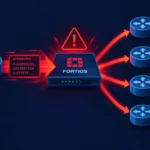
ConnectWise has announced that it has completed its investigation into unauthorized access to partner ScreenConnect environments, but has warned that attacks on on-premises installations are continuing where third-party extensions have not been disabled and the ScreenConnect client has not been updated to version 26.6.5 or later. According to Huntress, on 13 November 2026 there was another spike in activity involving the SCKit toolkit, which affected an estimated 205 hosts across 41 organizations. The situation primarily concerns MSP providers and their customers: compromise of a single managed device can potentially open a path to technicians’ workstations and from there to other managed networks. We have already covered this campaign earlier; below is an updated picture in light of new data.
Two compromise vectors: what exactly is vulnerable
The incident involves two distinct exploitation paths, and it is important not to confuse them. The first is the CVE-2026-84869 vulnerability (CVSS 9.9) in the ScreenConnect client. According to the ConnectWise bulletin, it allows files to be transferred and executed via an active remote session without authorization or confirmation from the host side. It is classified as CWE-862 (missing authorization) and CWE-269 (improper privilege management). The vulnerability affects the ScreenConnect client, but not the server. It was fixed in version 26.6.5. CVE-2026-84869 was added to the CISA Known Exploited Vulnerabilities catalog with an addition date of 11 September 2026.
It is worth noting a discrepancy in the severity rating: the ConnectWise bulletin labels the vulnerability as Important, whereas the official ConnectWise disclosure describes the same 9.9 score as Critical. In any case, the CVSS score of 9.9 clearly points to a high level of risk.
The second vector is the CVE-2026-127063 vulnerability (CVSS 4.0: 9.3) in the third-party RMM+ extension. According to the GitHub Advisory Database entry, the issue is related to a static default API secret: if the administrator has not changed the access key, the extension accepts an empty value. According to Huntress, this behavior was observed in RMM+ versions 1.0.31 and 1.0.32. Importantly, this vulnerability is confined to the extension and does not affect the ScreenConnect server or client.
SCKit attack mechanics
In the assessment by Huntress, the SCKit campaign appears to use the vulnerable RMM+ extension for initial access, rather than exploiting CVE-2026-84869 directly at the intrusion stage. The ScreenConnect client vulnerability is then used as a mechanism for further propagation: the RelayTrap module (RelayTrap.cs) is designed to execute malicious code on the technician’s workstation when they connect to an infected device to investigate an issue. ConnectWise, for its part, has stated that it has not found evidence of the ScreenConnect vulnerability being used for initial access and is continuing to evaluate the researchers’ findings regarding the extension.
Huntress emphasizes that in the analyzed logs, worm-like propagation from an infected endpoint to a technician and then to the management console was not observed as successful. Nevertheless, the toolkit has this capability, and the threat remains relevant.
According to Huntress, between 20 October and 16 November 2026, around 688,000 requests to execute files named update.bat from 29 source IP addresses were recorded on 42 ScreenConnect servers belonging to MSP providers. In one of the incidents, researchers observed a batch file sent from the guest device being executed on the connecting technician’s workstation, after which an unauthorized ScreenConnect client was installed.
Persistence and infrastructure
In one of the investigated incidents, Huntress observed persistence via a Windows Update Agent service: the malicious executable UpdateConnect.ClientService.exe was located in the C:\\ProgramData\\Windows Update Agent (de362a425905bcc4)\\ directory and was run under the LocalSystem account, masquerading as a legitimate system component.
The unauthorized ScreenConnect client was hosted at 185.241.211[.]197, which, according to Huntress, is associated with the provider 1337 Services GmbH. It should be stressed that the mere fact that infrastructure is hosted with a particular provider is not grounds for attributing the campaign to that provider.
Indicators of compromise
Huntress warns that file hashes are weak indicators for this campaign, as scripts and executables are rebuilt for each host. Network indicators are more reliable:
- IP addresses: 185.241.211[.]197, 185.99.255[.]28, 155.94.150[.]39, 91.224.92[.]167, 193.26.115[.]63, 57.128.131[.]66, 107.148.223[.]37
- Domains: 007[.]from-ak[.]com, newnewnew.gotdns[.]org, sc.payproofkit[.]com, soxnewwork.homedns[.]org, cdn007-digitaldownloads[.]com, ns.mo7sen[.]dev, masterdarky[.]com
- URLs: hxxps://ns.mo7sen[.]dev/EadF.php?p=4, hxxps://ns.mo7sen[.]dev/EadF.php?p=5, hxxps://masterdarky[.]com/WindowsUpdate.msi
Actions by ConnectWise and recommendations
ConnectWise has disabled five third-party extensions — Labtech Plus, RMM Plus, RMM+, RMM Plus Password Link, and RMM+ Password Link — across 400 partner environments. The company stresses that simply having these extensions installed does not in itself mean compromise, but strongly recommends not enabling or reinstalling them until further instructions are provided.
A critical warning from ConnectWise: disabling extensions and updating ScreenConnect does not remove unauthorized access or persistence mechanisms that have already been installed on affected devices. This means that updating is a necessary but not sufficient step.
Specific actions for MSP providers and ScreenConnect administrators:
- Immediately update the ScreenConnect client to version 26.6.5 or later
- Ensure that the five specified extensions are disabled and do not reinstall them
- Check for unauthorized services (in particular, a Windows Update Agent with an unusual executable path), unauthorized ScreenConnect clients, and suspicious Run Command / Toolbox activity
- Check network connections against the indicators of compromise listed above
- In environments where the extensions were active, conduct a full incident investigation and do not limit actions to updating and disabling extensions
The scale of the SCKit campaign — hundreds of hosts in dozens of organizations over a few days — and its dual-vector attack model (extension for initial entry, client vulnerability for propagation) make this threat a priority for any MSP using ScreenConnect. The key action is not to stop at updating and disabling extensions. If your environment used RMM+ versions 1.0.31 or 1.0.32 with default settings, proceed on the assumption of possible compromise and conduct an investigation, including searching for unauthorized services, atypical ScreenConnect clients, and network connections to the listed indicators.