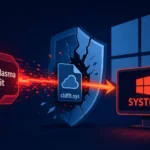
Microsoft has implemented significant changes to Windows 11’s security architecture by removing the BypassNRO.cmd script from preview builds, effectively requiring users to connect to the internet and use a Microsoft Account (MSA) during operating system setup. This move reflects Microsoft’s ongoing cloud-first strategy and has direct implications for enterprise deployment workflows and privacy-conscious users.
Microsoft’s Security Strategy Evolution
The removal of the BypassNRO.cmd script aligns with Microsoft’s push toward centralized authentication via Microsoft Account (MSA) services. The company maintains that this change enhances security through centralized threat detection and enables seamless access to cloud services, including automatic device backup and cross-device synchronization. The modification is currently active in Windows 11 Insider Dev builds and is expected to roll out to stable channels in upcoming releases. Microsoft’s update guidance is tracked via the Microsoft Security Response Center.
Technical Analysis and Security Implications
While the removal of the official bypass script presents challenges for users preferring local accounts, security researchers have identified alternative methods for offline account creation. These include registry modifications through command-line operations:
reg add HKLM\SOFTWARE\Microsoft\Windows\CurrentVersion\OOBE /v BypassNRO /t REG_DWORD /d 1 /f
shutdown /r /t 0
IT Administrators Who Used Windows 11 Offline Account Bypass Methods
This change most significantly affects IT administrators managing large-scale Windows 11 deployments in environments without persistent internet access, such as air-gapped networks, manufacturing floors, or secure government systems. Home users who prefer local accounts for privacy reasons are also directly impacted. Organizations using Windows Autopilot or SCCM/Intune for provisioning will need to review their deployment templates to ensure compliance with the new setup requirements.
Advanced Bypass Mechanisms and Enterprise Considerations
Security professionals have identified workarounds, including a solution utilizing Cloud Experience Host (CXH) URI manipulation discovered by security researcher ThePineapple, which provides access to hidden local account creation interfaces across all Windows 11 versions, including S-Mode installations. However, these alternative approaches require evaluation in enterprise environments to confirm compliance with internal security policies.
What Organizations Should Do
- Audit existing Windows 11 deployment scripts and Autopilot profiles to identify any reliance on BypassNRO.cmd before the change reaches stable release
- Evaluate Microsoft Entra ID (formerly Azure AD) joined deployments as the supported path for managed environments that currently use local accounts
- For air-gapped environments, contact Microsoft enterprise support to request official offline provisioning guidance
- Review authentication policies and document exceptions for scenarios requiring local account creation
- Test alternative bypass methods in isolated lab environments before any production rollout
Security experts recommend organizations conduct thorough risk assessments and develop comprehensive account management strategies that address these new constraints while maintaining robust security postures. The enforcement of Microsoft Account usage introduces both benefits and potential single-point-of-failure risks that must be weighed against organizational compliance obligations.