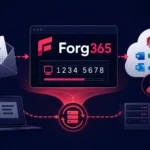
In late June – early July 2026, a phishing campaign using the Device Code Flow mechanism was observed, targeting Microsoft 365 accounts. According to ZeroBEC, the attackers used collaboration-style lures, directing victims to a legitimate Microsoft sign-in page rather than a fake password entry form. At the same time, Cisco Talos disclosed the fully featured ARToken operator panel for similar attacks. These events point to a systemic shift: the device code phishing technique has evolved from a one-off trick into a commercial product on the “phishing-as-a-service” (PhaaS) market, capable of bypassing multi-factor authentication and enabling full account takeover.
How Device Code Phishing Works
The attack is based on a legitimate OAuth 2.0 mechanism — the Device Authorization Grant. According to Microsoft documentation, this flow is intended for devices with limited interfaces — smart TVs, printers, IoT devices — that cannot display the standard sign-in form. The user receives a short code on the device, enters it in a browser on another device and thereby authorizes the session.
The attackers exploit this separation: they initiate the authorization flow themselves, obtain a code and pass it to the victim via a phishing email. When the user enters the code on the legitimate microsoft.com/devicelogin page, they unwittingly authorize the attacker’s session. As Huntress researchers note, the attack “does not hack the system but walks through the front door — without a password, bypassing MFA, with the session token handed directly to the attacker.”
The fundamental difference from classic phishing is that there are no fake login pages and no credential interception via a proxy (AitM). The victim interacts exclusively with Microsoft’s real infrastructure, which makes the attack extremely difficult to detect using standard tools.
Evolution of the Technique: Dynamic Generation and PhaaS
According to Proofpoint (May 2026), in most modern attacks the code is generated dynamically at the moment the victim follows the phishing link. This removes the time-to-live limitation of the code: the email can be opened at any time, and the attack chain will be launched anew. Proofpoint also notes that device code phishing implementations are available via PhaaS platforms including EvilTokens and Tycoon 2FA, or are built by operators themselves.
Additionally, attackers use a technique known as “account takeover jumping” (ATO jumping): a compromised account is used to send phishing links to the victim’s contacts — in the form of buttons, hyperlinks, attachments, or QR codes. This multiplies the reach of the campaign and increases recipients’ trust in the email.
Links to Storm-2372 and the Emergence of a Tooling Ecosystem
ZeroBEC assesses that the observed campaign has significant overlaps with activity that Microsoft documented in February 2025 under the identifier Storm-2372. That campaign used Microsoft Teams–style lures to obtain a device code from victims. However, the researchers emphasize that overlapping tactics do not necessarily mean the operators are identical — it is more about the spread of a specific tradecraft set that is now being packaged into reusable infrastructure.
In parallel, Cisco Talos identified the ARToken operator panel which, according to the researchers, shares infrastructure and API contracts with the EvilTokens platform. The panel provides more than 80 API endpoints for conducting device code phishing, maintaining access via a Primary Refresh Token (PRT), working with email, performing BEC operations, and exfiltrating data from SharePoint — all through a React interface. A separate tool, ARTBrowser, allows operators to view victims’ Microsoft 365 sessions outside the panel.
According to Sekoia, the EvilTokens platform includes artificial intelligence–based features to automate BEC operations: analyzing thousands of intercepted emails, identifying financial correspondence, and generating fraudulent messages. This indicates the maturity of the ecosystem — we are dealing not with isolated phishing kits but with full-fledged platforms for conducting business email compromise.
The trend is also confirmed by an eSentire report: operators of Tycoon 2FA, who previously specialized in AitM phishing, have repurposed their kit to deliver device code phishing via the Microsoft OAuth flow.
Affected Products and Scale of Impact
All organizations using the following are at risk:
- Microsoft 365 (Exchange Online, OneDrive, SharePoint)
- Microsoft Entra (Azure AD)
- Microsoft Graph API
A successful attack can result in full account takeover, theft of confidential data, BEC fraud, lateral movement within the organization and, in extreme cases, deployment of ransomware. Organizations where device code flow is allowed at the tenant level without additional conditional access restrictions are particularly vulnerable.
It is important to keep in mind: the real impact depends on the scope of the issued tokens, conditional access settings, and tenant policies. Claims of a “complete MFA bypass” are accurate only in the context of delegated authentication — the attack does not break MFA itself, but uses a legitimate flow in which MFA has already been completed by the user.
Practical Recommendations
- Restrict Device Code Flow. In Microsoft Entra, create a conditional access policy that blocks the Device Authorization Grant for all users except those who genuinely need it (kiosks, IoT devices). This is the most effective measure.
- Configure monitoring of anomalous sign-ins. Track authentication events of type “Device Code” in the Entra Sign-in Logs. Mass device code requests from atypical IP addresses or for users who do not need this flow are a sign of compromise.
- Implement Token Protection policies. Binding tokens to specific devices (token binding) in Entra significantly reduces the value of intercepted tokens for an attacker.
- Review OAuth consents. Check the list of applications with delegated permissions in the tenant. Revoke suspicious consents, especially those granting access to Mail.Read, Files.Read or similar scopes.
- Train users. Employees should know that legitimate Microsoft 365 collaboration invitations never require entering a device code. Any request to enter a code on the microsoft.com/devicelogin page triggered from an email is a sign of an attack.
- Limit ATO jumping. Configure Exchange Online transport rules to detect mass mailings from recently compromised accounts and automatically quarantine suspicious messages.
The emergence of full-fledged PhaaS platforms around device code phishing — ARToken, EvilTokens, and the adapted Tycoon 2FA — means this technique is no longer the preserve of advanced groups and is available to a broad range of operators. The key action for defenders is to immediately check whether Device Code Flow is allowed in the Microsoft Entra tenant and block it for all users who do not need it for their work. Organizations that do not restrict this flow are effectively leaving the door open for an attacker to walk in with a legitimate token.