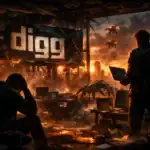
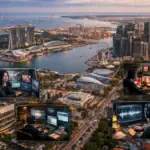
QR codes are everywhere — on product packaging, business cards, restaurant menus, and event posters. With Stable Diffusion and the ControlNet extension, you can transform a plain black-and-white QR code into a visually striking image that still scans reliably. This guide covers the full workflow from generating a base QR code through applying AI-driven styles.
Note: This guide was originally written in 2023 referencing Stable Diffusion v1.5 and early ControlNet QR Monster models. The core workflow remains valid as of 2025 and applies equally to SDXL pipelines. Platform availability (DreamStudio, Discord servers) may have changed; the AUTOMATIC1111 Web UI and ComfyUI remain the most stable local options.
What Is Stable Diffusion and Why It Works for QR Codes
Stable Diffusion is an open-source latent diffusion model that generates images from text prompts. The ControlNet extension adds the ability to use a reference image — in this case, your QR code — as a structural guide that the model must respect while applying artistic styles. This is what makes scannable artistic QR codes possible: the model stylizes around the QR pattern rather than replacing it. The Stability AI foundation models underpin the most widely used checkpoints.
Step 1: Generate a Base QR Code
Start with a well-configured QR code before any AI processing:
- Use a QR generator that lets you set error correction level — choose Level H (30%) for maximum tolerance to visual modifications
- Keep the data payload short (a URL shortener helps); lower information density means fewer QR modules and more room for artistic variation
- Export at 512×512 or 768×768 pixels minimum, PNG format with high contrast (pure black on white)
- Services like QuickQR.Art or QR code generators in Python’s
qrcodelibrary both work well
Step 2: Set Up Stable Diffusion with ControlNet
The recommended local setup uses the AUTOMATIC1111 Stable Diffusion Web UI with the ControlNet extension:
- Install AUTOMATIC1111 WebUI and the sd-webui-controlnet extension from its GitHub repository
- Download a ControlNet QR Monster or Brightness model (search Hugging Face for “QR Monster ControlNet” or “control_v1p_sd15_qrcode_monster”)
- Load a base checkpoint — SD 1.5-based models like Realistic Vision or DreamShaper work well; for SDXL use SDXL ControlNet checkpoints
- Cloud alternatives: Replicate.com hosts QR Monster models runnable via API; Hugging Face Spaces hosts free demos
Step 3: Apply Artistic Style via img2img + ControlNet
Use the img2img tab rather than txt2img to preserve your QR structure:
- Upload your QR code as the init image with denoising strength 0.75–0.85 (lower values preserve more QR structure; higher values produce more artistic output — tune to find the balance where it still scans)
- In the ControlNet panel, load the QR code as the control image, select your QR Monster model, and set weight to 1.2–1.5
- Write a positive prompt describing the desired style: “cyberpunk cityscape, neon lights, rain, ultra detailed” or “watercolor botanical garden, soft pastels, flowers”
- Negative prompt: “blurry, distorted, low quality, extra dots”
- Run with 20–30 sampling steps (DPM++ 2M Karras recommended)
Example prompt that reliably produces scannable results:
QR code integrated into Van Gogh Starry Night style, swirling blues and yellows, oil painting texture, highly detailed
Negative: text, watermark, extra qr modules, blurry
Advanced Tips for Reliable Scanning
- Keep finder patterns clear — the three large corner squares must remain high-contrast and unobscured; add them back in post if needed using image editing
- Test before publishing — scan with at least three different QR apps (Google Lens, iOS Camera, a dedicated scanner) at various distances and lighting conditions
- Maintain the quiet zone — preserve a white border of at least 4 modules around the QR code edge
- Use img2img, not txt2img — txt2img will not preserve the QR structure without ControlNet; always use img2img with ControlNet for reliable results
- Iterate denoising strength — if it doesn’t scan, lower denoising to 0.6; if it looks too plain, raise to 0.9 and adjust ControlNet weight
Privacy and Security Considerations
Artistic QR codes are increasingly used in phishing and social engineering campaigns — attackers style QR codes to look like legitimate branded materials. As a user, always verify the destination URL before scanning any QR code in the wild. As a creator, ensure your published QR codes point only to HTTPS URLs, use a URL shortener with redirect analytics so you can deactivate a compromised link, and never embed sensitive credentials directly in a QR code.
Practical Applications
- Marketing and advertising: QR codes styled to match campaign aesthetics, increasing scan rates
- Business cards: Personalized codes that double as design elements
- Restaurant menus: Themed codes matching the establishment’s visual identity
- Event invitations: Artistic QR codes embedded in the invite design itself
- Product packaging: Codes elegantly integrated into label artwork
The combination of ControlNet’s structural guidance and Stable Diffusion’s generative power makes it possible to produce QR codes that are genuinely artistic while remaining fully functional — provided you follow the scanning validation steps above before deployment.