Phishing remains one of the most effective techniques for stealing passwords, even among users who rely on password managers. In response, 1Password has rolled out a new built-in phishing protection mechanism designed to detect suspicious and look-alike URLs and warn users before they enter their credentials on a potentially fraudulent site.
How 1Password’s New Anti-Phishing Feature Works
Most password managers, including 1Password, have long followed a basic security principle: they only auto-fill credentials when the website’s URL exactly matches the saved entry. If the domain differs, even by a single character, the password manager refuses to auto-fill. This protects against many attacks, but it does not help when a user decides to type the password manually.
The new 1Password phishing protection is designed to close this gap. When a user attempts to sign in on a suspicious or look-alike domain, 1Password now displays a pop-up warning that the site may be malicious or part of a phishing campaign. This gives users a clear signal to pause, verify the URL, and reconsider entering their credentials.
Typosquatting, Look-Alike Domains and the Human Factor
What is typosquatting and why it is so effective
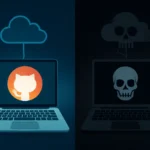
One of the most common phishing techniques is typosquatting (also called URL hijacking). Attackers register domains with minor spelling errors or visual similarities to well-known services. Instead of github.com, a user might end up on githuh.com or githubb.com. The fraudulent site copies the original layout and branding so closely that the subtle difference in the address bar is easy to miss.
In such scenarios, the password manager correctly refuses to auto-fill, because the domain does not match the legitimate entry. However, many users interpret this as a technical glitch or assume the vault is locked, and then manually type their username and password. From the attacker’s perspective, this is the ideal outcome: credentials are entered voluntarily on a cloned phishing page and immediately compromised.
Why URL matching alone is no longer enough
This behavior highlights a core problem: technical safeguards are often bypassed by normal user habits. Even when tools behave correctly, people may override them out of convenience or misunderstanding. The new 1Password anti-phishing feature adds a second, behavior-aware layer by actively intervening at the moment of login and explicitly flagging domains that appear risky or deceptive.
Defense in Depth: Password Managers as Active Security Controls
The addition of suspicious URL detection aligns with the principle of defense in depth, where multiple independent security layers reduce the chance of a successful attack. Browser-based phishing filters, email security gateways, and anti-spam systems attempt to block malicious links before users click them. Now, phishing protection within the password manager adds another checkpoint exactly where it matters: when credentials are about to be entered.
Industry reports underscore the importance of this approach. According to recent global threat studies, the majority of breaches involve the human element, with phishing and social engineering among the leading initial vectors. Even sophisticated technical controls offer limited protection if users are not guided and alerted at critical decision points, such as logging in to a suspicious site.
Availability and Configuration for Consumer and Enterprise Users
For individual and family 1Password users, the phishing URL protection is enabled by default. This is a crucial detail: many consumers never change default security settings, which means features that are not enabled automatically often go unused, leaving available protections untapped.
In corporate environments, administrators can enable the feature manually in the 1Password admin console under Authentication Policies. This allows organizations to define consistent security baselines across teams, combine 1Password phishing protection with multi-factor authentication, role-based access control, monitoring of suspicious logins, and ongoing security awareness training.
For businesses, this capability should be treated as part of a broader anti-phishing strategy. Technical activation is only one step; employees also need clear guidance on what 1Password warnings mean, how to react when a pop-up appears, and why ignoring such alerts can lead to account compromise and data breaches.
User Attitudes Toward Phishing: A Persistent Weak Link
Alongside the feature launch, 1Password surveyed 2,000 users in the United States to assess perceptions of phishing risk. The company describes the findings as “disappointing”: many respondents showed insufficient awareness of phishing threats and the danger of fake websites that mimic legitimate brands.
Notably, almost half of those surveyed believe that phishing protection is solely the responsibility of the IT department, rather than a shared responsibility that includes each employee. This mindset significantly increases organizational risk. Phishing is designed to exploit human trust and curiosity, not just technical vulnerabilities, and global cybersecurity reports consistently rank social engineering among the top causes of account compromise.
This illustrates a key reality: even the most advanced phishing filters, password managers, and detection systems can only be truly effective when users understand their role in protecting accounts and respond thoughtfully to security prompts.
The evolution of 1Password from a passive password vault into an active anti-phishing control reflects a broader trend in cybersecurity: tools are increasingly expected to not only store and manage secrets, but also to detect, flag, and help prevent attacks in real time. To benefit from these capabilities, both individuals and organizations should enable all available security features, carefully check website addresses before logging in, avoid entering passwords on pages that raise doubts, and regularly improve their awareness of phishing techniques. Combining robust technology with informed user behavior remains one of the most effective ways to reduce the risk of credential theft in an environment of constantly growing cyber threats.